How to Add Wireless Charging to Any Android or iPhone Smartphone
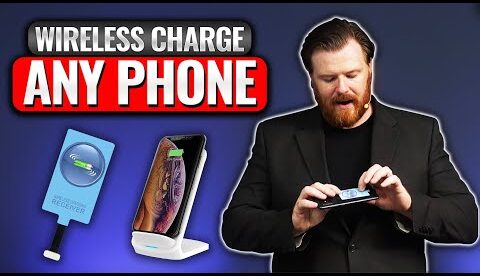
Learn how to add wireless QI charging to any phone! It’s easy.
Jeff demonstrates how to upgrade any smartphone (tablet, android, iOS) to include QI wireless charging. It’s an inexpensive way to upgrade any smartphone with wireless charging.
🔗 USB-C Wireless QI Receiver:
🔗 USB-Micro Wireless QI Receiver:
🔗 Wireless QI Receiver for iPhone/iPod Touch/iPad 5, 6, 7, etc:
🔗 Wireless QI Receiver for iPhone/iPad 7:
🔗 Wireless QI Charger Stand:
🔗 Wireless QI Charger Pad:
❤️️ Join us on Patreon:
💻 Visit Our Web Site:
🐦 Twitter:
👍 Facebook:
📸 Instagram:
0:00 Introduction
1:19 QI Receivers: An Easy Smartphone Upgrade
2:22 Choosing the Right QI Receiver For Your Phone
5:03 Final Thoughts
6:07 Closing Credits
#HowTo #Android #WirelessCharging
Set down your phone and it charges. Feels like the future! What simple little tech (such as this) has you thinking “Wow, that seems like something from 80’s sci-fi”?
The whole point of wireless 🛜 charging is BECAUSE you jacked up your charging port 🤦♂️
Thank you
I’m searching for a kit that can handle 30 watts charging but I think I’ll change my mind my phone’s back is not plastics
Is anyone aware of this using Magsafe version
it still uses the usb-c port which is the problem a lot of the time